 Aqua-Soft Forums
Ok, i know that this have been asked before, but i cant seem to find the post >.
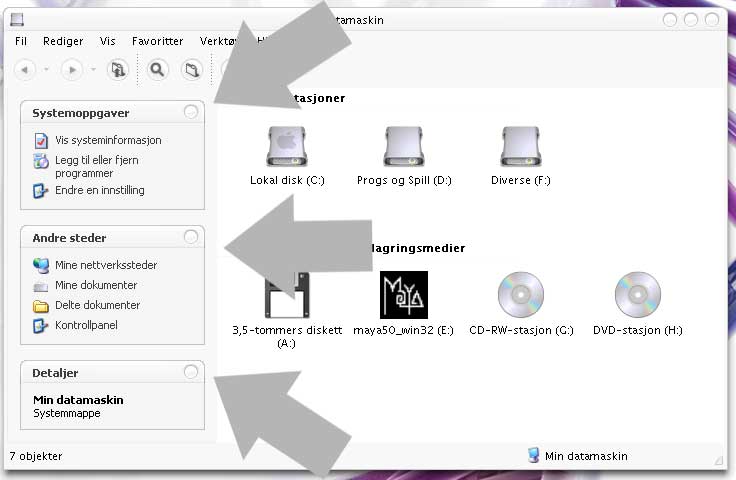

Ok, i know that this have been asked before, but i cant seem to find the post >.
i think it's in folder options - classic view
Originally posted by ACiD@Feb 11 2004, 05:10 PMi think it's in folder options - classic view
correct
Abso diddly outely there Homer!
Another option, reomve it completely by destroying the UIFile 3 & 4 in your shell32.dll. :rule:
This will bring your scrollbars closer to the border as well, isn't that lovely.
-cherrysoul
Interesting cherrysoul! :woot:
But the UIFile 3 & 4 are xml?
Someone can compile it to make the left pane like Finder?
Ah, nice! 
Of course the one option i had forgotten to check.. isnt that typical? 
Thanks guys 
btw guys, off topic, how to remove trash icon from desktop???  i read it somewhere, but it seem i can't find it ..
thx
Use TweakUi from M$
Originally posted by dimensi@Feb 13 2004, 10:46 AMbtw guys, off topic, how to remove trash icon from desktop???
thx
If you're using XP Pro, goto run and type gpedit.msc.
Then... fiddle around from then on. It's one of the desktop options in there.
Sorry got no access to that menu now, can't give u the exact link. PM me if you need help.
Originally posted by silencedge@Feb 13 2004, 12:28 PMIf you're using XP Pro, goto run and type gpedit.msc.
Then... fiddle around from then on. It's one of the desktop options in there.
Sorry got no access to that menu now, can't give u the exact link. PM me if you need help.
thx silence edge!!